
Guten Tag liebe Server Support Gemeinde.
Ich habe eine Verständnisfrage zum Gzip.
Auf den früheren Managed Server war der Gzip Test unter Yslow
immer Positiv, wenn die htaccess korrekt angepasst wurde.
Die gleiche htacces verwenden wir nun auf dem Dedicated server,
jedoch wird unter yslow Note (F) ausgegeben.
Was mich aber wundert ist, das manche Javascript Files dennoch gezipt werden.
Andere Online Gzip Checks zeigen, das die Seite Gzip verwendet,
denke das liegt daran, das teilweise es ja auch so ist.
Yslow und pagespeed zeigen "deaktiviert"
zum selberschauen - Testshop: shop481.lavedo.de
Meine Frage lautet, wie man die Einstellung so hinbekommt, das
gzip komplett wieder funktioniert.
Beste Grüße
Lod
Anhänge:
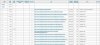
2 x yslow test - 1. funktioniert 2. funktioniert nicht (mit Headerangaben)
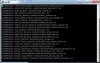
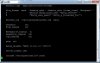
2 x Server config 1 x ngnix & 1 x Apache
Ich habe eine Verständnisfrage zum Gzip.
Auf den früheren Managed Server war der Gzip Test unter Yslow
immer Positiv, wenn die htaccess korrekt angepasst wurde.
Code:
<IfModule mod_expires.c>
ExpiresActive On
ExpiresDefault "access plus 1 seconds"
ExpiresByType image/x-icon "access plus 604800 seconds"
ExpiresByType image/jpeg "access plus 604800 seconds"
ExpiresByType image/png "access plus 604800 seconds"
ExpiresByType image/gif "access plus 604800 seconds"
ExpiresByType image/ico "access plus 604800 seconds"
ExpiresByType application/x-shockwave-flash "access plus 432000 seconds"
ExpiresByType text/css "access plus 432000 seconds"
ExpiresByType text/javascript "access plus 432000 seconds"
ExpiresByType application/x-javascript "access plus 432000 seconds"
ExpiresByType text/html "access plus 600 seconds"
ExpiresByType application/xhtml+xml "access plus 600 seconds"
</IfModule>

##
# Disable ETags
# @see http://developer.yahoo.com/performance/rules.html#etags
##
FileETag None
<IfModule mod_headers.c>
  Header unset ETag
</IfModule>

<IfModule mod_deflate.c>
<FilesMatch "\.(css|js|x?html?|php)$">
SetOutputFilter DEFLATE
</FilesMatch>
</IfModule>
Die gleiche htacces verwenden wir nun auf dem Dedicated server,
jedoch wird unter yslow Note (F) ausgegeben.
Was mich aber wundert ist, das manche Javascript Files dennoch gezipt werden.
Andere Online Gzip Checks zeigen, das die Seite Gzip verwendet,
denke das liegt daran, das teilweise es ja auch so ist.
Yslow und pagespeed zeigen "deaktiviert"
zum selberschauen - Testshop: shop481.lavedo.de
Meine Frage lautet, wie man die Einstellung so hinbekommt, das
gzip komplett wieder funktioniert.
Beste Grüße
Lod
Anhänge:
2 x yslow test - 1. funktioniert 2. funktioniert nicht (mit Headerangaben)
2 x Server config 1 x ngnix & 1 x Apache
Attachments


Last edited by a moderator:
