Apache schmiert ab

botox84

New Member
Halli hallo, ich habe einen vserver wo eine community drauf liegt:

Parallels Plesk Panel-Version 9.3.0
Betriebssystem Linux 2.6.18-028stab064.7
CPU AuthenticAMD, Quad-Core AMD Opteron(tm) Processor 2382
2 Gig Ram

Nun folgendes, sind ca. 200 Leute online, läuft der Server fluffig und es gibt keine Probleme, die Auslastund liegt beim cpu unter 5% und der ram bei ca. 12%

Sind jetzt aber z.B. 50 User online und ich tweete was, dann kommen 150 User gleichzeitig on, da schmiert mir dann aber der apache ab.

Es ist ja eigentlich logisch, dass der Server mehr zu tun hat, wenn 150 User gleichzeitig die Website abrufen.

Aber das komische daran ist, dass der cpu dann max. auf 10% läuft und die Ram max. auf 20%, also dürfte dann doch theoretisch der Apache nicht abschmieren, da der Server ja nichtmal ansatzweise ausgelstet ist.

Das Script für die Website ist sehr gut optimiert und ich kann nahe zu 100% ausschließen das dies am Script liegt.

Ich muss aber auch zugeben, dass ich nen absoluter neuling in Sachen Server ect. bin und nicht viel ahnung habe.

Deshalb bitte ich, falls hier jemand einen Rat weiss, auch nachvollziehbare Antworten zu schreiben, die auch für Neulinge zu verstehen sind ;)

Vielen Dank schonmal für eure Hilfe, weiss jemand was man da machen kann?

PS: Kleine Umfrage, haben viele User Probleme mit dem Update von Plesk 9.3 auf Plesk 9.5 mit dem Mailversandt ect? Ich bin nämlich am überlegen ob sich dieses Update lohnt, denn ich möchte nicht riskieren das dadurch andere Probleme wie Mailversandt ect. zustande kommen. Der Mailversandt auf meiner Seite ist sehr wichtig, da die User eine E-Mail mit Bestätigungslink bei der Anmeldung bekommen.

Liebe Grüße

Botox84
 
Der Webserver hat moeglicherweise nicht genug Forks oder Worker um die Besucher zufrieden zu stellen. Warum es so ist ist natuerlich jetzt die Quizfrage. Eventuell wartet das PHP-Skript(?) auf externe Datenquellen die zu langsam sind, ...
Ein Webserver sollte 100 gleichzeitige Anfragen problemlos gleichzeitig bewaeltigen, je nach Skript und Arbeit.

Wie sieht die Load und die Wait-Avg zu einem solchen Zeitpunkt aus?
Zumals bei vServern koennte die IO-Wait das Problem sein, lies dir die Informationen und Konfigurationsvorschlaege auf huschi.net durch :)

Ich muss aber auch zugeben, dass ich nen absoluter neuling in Sachen Server ect. bin
Ich spar mir jedglichen Kommentar...
 
Danke erstmal, also in der error.log sind bis auf die normalen hackerangriffe nicht wirklich was zu sehen:

[Fri May 21 18:44:23 2010] [error] [client 62.141.33.184] File does not exist: /srv/www/vhosts/default/htdocs/pma
[Fri May 21 18:44:23 2010] [error] [client 62.141.33.184] File does not exist: /srv/www/vhosts/default/htdocs/admin
[Fri May 21 18:44:23 2010] [error] [client 62.141.33.184] File does not exist: /srv/www/vhosts/default/htdocs/dbadmin
[Fri May 21 18:44:23 2010] [error] [client 62.141.33.184] File does not exist: /srv/www/vhosts/default/htdocs/mysql
[Fri May 21 18:44:24 2010] [error] [client 62.141.33.184] File does not exist: /srv/www/vhosts/default/htdocs/php-my-admin
[Fri May 21 18:44:25 2010] [error] [client 62.141.33.184] File does not exist: /srv/www/vhosts/default/htdocs/myadmin
[Fri May 21 18:44:25 2010] [error] [client 62.141.33.184] File does not exist: /srv/www/vhosts/default/htdocs/PHPMYADMIN
[Fri May 21 18:44:25 2010] [error] [client 62.141.33.184] File does not exist: /srv/www/vhosts/default/htdocs/phpMyAdmin

und ja gut ein paar fehler, wo ein process nicht beendet wurde

[Sat May 22 08:19:43 2010] [warn] child process 7232 still did not exit, sending a SIGTERM
[Sat May 22 08:19:45 2010] [warn] child process 7232 still did not exit, sending a SIGTERM
[Sat May 22 08:19:47 2010] [warn] child process 7232 still did not exit, sending a SIGTERM
[Sat May 22 08:19:49 2010] [error] child process 7232 still did not exit, sending a SIGKILL
[Sat May 22 08:19:50 2010] [notice] caught SIGTERM, shutting down
 
Nein Nein, du wirst nicht ignoriert, allerdings hab ich kaum was von deinem Post verstanden und muss den erst überdenken ;)

Also externe Datenquelllen gibt es nicht, das php-script wartet auch nicht ;)
Die naschi.net idee, ist sehr gut, damit habe ich mich nun erstmal ein bisschen befasst, bzw. meinen coder befassen lassen, der versteht mehr von den dingen ;)

Ich denke auch, dass dat Problem gelöst wurden konnte, mit Hilfe von naschi.net ;)

Also ersteinmal vielen Dank.

Bitte den Thread noch nicht schließen, da es erst noch getestet werden muss, ob das Problem wirklich behoben werden konnte.

Viele Dank @ all ;)
 
Okay, leider hab ich mich zu früh gefreut, schmiert immer noch bei hohem besucheraufkommen gleichzeitig, bzw. ca. 60 online und 130 kommen aufeinmal hinzu^^

kann ich irgendwas posten oder so, was da weiter helfen kann, denn ich bin wie gesagt noch nen anfänger und hab da nicht so ahnung von.

hoffe ihr könnt das verstehen, jeder hat ja mal angefangen ;)
 
Ohne die relevanten Informationen die du nicht liefern kannst da du nicht weisst was ich meine kann man nur raten...

Es kann am Hoster liegen (zu hohe Auslastung), es kann an deiner Konfiguration liegen, es kann an Plesk liegen, es kann am Script selbst liegen (ich habe mit eigenen Augen gesehen was 'professionelle Entwickler' als 'optimisterte Software' bezeichnen...)

Ich denke in deinem Fall ist guter Rat teuer, naemlich Hands-On durch einen Root'ler deiner Wahl (einige gute sind hier in Forum unterwegs)
 
Vpm Prinzip her müsst ihr mir nur sagen, was für daten ich auslesen soll, die kann ich dann hier ja posten ;)

Vielleicht wird so auch nen Schuh draus^^
 
Das meiste liefert dir 'top' (bitte komplett!) und bei Virtuozzo/OpenVZ noch die /proc/user_beancounters auslesen.
(IN einem 'ruhigen' Moment und bei Ueberlastung bitte)

Wie sieht deine Apache Konfig aktuell nach Anpassung aus?
 
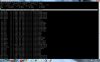
Ich hab die Auslesung der beancounter mal als screen eingefügt, da hier sonst die Zahlen komplett durcheinandere, bzw. nicht mehr in Reih und Glied stehen.

http://www.fluesterbase.de/Downloads/beancounter.jpg

Wie ich diese top und apache config auslese, weiss ich nicht genau, kann mir das bitte jemand erklären, hab gegoogelt haber nichts raus bekommen, wille ist also da ;)
 

Attachments

  • beancounter.jpg
    beancounter.jpg
    170.7 KB · Views: 102
Last edited by a moderator:
einfach im Shell "top" eingeben und es vorher groß ziehen, damit man alle sieht ;)

und die Apacheconfig liegt unter /etc/apache2/
 
Der TOP ist aber von einem eher unbelasteten Zeitpunkt, oder?

Dann hast du was falsch gemacht ;)
cat /etc/apache2/httpd.conf

Wenn es nicht klappt
chmod +rwx /etc/apache2/httpd.conf
 
Okay, ja, hab was falsch gemacht:

Und jop, da war der Server nicht ausgelastet als ich die Top gemacht habe, kann ich aber gern nochmal machen, wenns wichtig ist?

Code:
# If possible, avoid changes to this file. It does mainly contain Include
# statements and global settings that can/should be overridden in the
# configuration of your virtual hosts.

# Quickstart guide:
# http://www.opensuse.org/Apache_Howto_Quickstart


# Overview of include files, chronologically:
#
# httpd.conf
#  |
#  |-- uid.conf  . . . . . . . . . . . . . .  UserID/GroupID to run under
#  |-- server-tuning.conf  . . . . . . . . .  sizing of the server (how many processes to start, ...)
#  |-- sysconfig.d/loadmodule.conf . . . . .  [*] load these modules
#  |-- listen.conf . . . . . . . . . . . . .  IP adresses / ports to listen on
#  |-- mod_log_config.conf . . . . . . . . .  define logging formats
#  |-- sysconfig.d/global.conf . . . . . . .  [*] server-wide general settings
#  |-- mod_status.conf . . . . . . . . . . .  restrict access to mod_status (server monitoring)
#  |-- mod_info.conf . . . . . . . . . . . .  restrict access to mod_info
#  |-- mod_usertrack.conf  . . . . . . . . .  defaults for cookie-based user tracking
#  |-- mod_autoindex-defaults.conf . . . . .  defaults for displaying of server-generated directory listings
#  |-- mod_mime-defaults.conf  . . . . . . .  defaults for mod_mime configuration
#  |-- errors.conf . . . . . . . . . . . . .  customize error responses
#  |-- ssl-global.conf . . . . . . . . . . .  SSL conf that applies to default server _and all_ virtual hosts
#  |
#  |-- default-server.conf . . . . . . . . .  set up the default server that replies to non-virtual-host requests
#  |    |--mod_userdir.conf  . . . . . . . .  enable UserDir (if mod_userdir is loaded)
#  |    `--conf.d/apache2-manual?conf  . . .  add the docs ('?' = if installed)
#  |
#  |-- sysconfig.d/include.conf  . . . . . .  [*] your include files
#  |                                             (for each file to be included here, put its name
#  |                                              into APACHE_INCLUDE_* in /etc/sysconfig/apache2)
#  |
#  `-- vhosts.d/ . . . . . . . . . . . . . .  for each virtual host, place one file here
#       `-- *.conf . . . . . . . . . . . . .     (*.conf is automatically included)
#
#
# Files marked [*] are created from sysconfig upon server restart: instead of
# these files, you edit /etc/sysconfig/apache2


#  Filesystem layout:
#
# /etc/apache2/
#  |-- charset.conv  . . . . . . . . . . . .  for mod_auth_ldap
#  |-- conf.d/
#  |   |-- apache2-manual.conf . . . . . . .  conf that comes with apache2-doc
#  |   |-- mod_php4.conf . . . . . . . . . .  (example) conf that comes with apache2-mod_php4
#  |   `-- ... . . . . . . . . . . . . . . .  other configuration added by packages
#  |-- default-server.conf
#  |-- errors.conf
#  |-- httpd.conf  . . . . . . . . . . . . .  top level configuration file
#  |-- listen.conf
#  |-- magic
#  |-- mime.types -> ../mime.types
#  |-- mod_autoindex-defaults.conf
#  |-- mod_info.conf
#  |-- mod_log_config.conf
#  |-- mod_mime-defaults.conf
#  |-- mod_perl-startup.pl
#  |-- mod_status.conf
#  |-- mod_userdir.conf
#  |-- mod_usertrack.conf
#  |-- server-tuning.conf
#  |-- ssl-global.conf
#  |-- ssl.crl/  . . . . . . . . . . . . . .  PEM-encoded X.509 Certificate Revocation Lists (CRL)
#  |-- ssl.crt/  . . . . . . . . . . . . . .  PEM-encoded X.509 Certificates
#  |-- ssl.csr/  . . . . . . . . . . . . . .  PEM-encoded X.509 Certificate Signing Requests
#  |-- ssl.key/  . . . . . . . . . . . . . .  PEM-encoded RSA Private Keys
#  |-- ssl.prm/  . . . . . . . . . . . . . .  public DSA Parameter Files
#  |-- sysconfig.d/  . . . . . . . . . . . .  files that are created from /etc/sysconfig/apache2
#  |   |-- global.conf
#  |   |-- include.conf
#  |   `-- loadmodule.conf
#  |-- uid.conf
#  `-- vhosts.d/ . . . . . . . . . . . . . .  put your virtual host configuration (*.conf) here
#      |-- vhost-ssl.template
#      `-- vhost.template


### Global Environment ######################################################
#
# The directives in this section affect the overall operation of Apache,
# such as the number of concurrent requests.

# run under this user/group id
Include /etc/apache2/uid.conf

# - how many server processes to start (server pool regulation)
# - usage of KeepAlive
Include /etc/apache2/server-tuning.conf

# ErrorLog: The location of the error log file.
# If you do not specify an ErrorLog directive within a <VirtualHost>
# container, error messages relating to that virtual host will be
# logged here.  If you *do* define an error logfile for a <VirtualHost>
# container, that host's errors will be logged there and not here.
ErrorLog /var/log/apache2/error_log

# generated from APACHE_MODULES in /etc/sysconfig/apache2
Include /etc/apache2/sysconfig.d/loadmodule.conf

# IP addresses / ports to listen on
Include /etc/apache2/listen.conf

# predefined logging formats
Include /etc/apache2/mod_log_config.conf

# generated from global settings in /etc/sysconfig/apache2
Include /etc/apache2/sysconfig.d/global.conf

# optional mod_status, mod_info
Include /etc/apache2/mod_status.conf
Include /etc/apache2/mod_info.conf

# optional cookie-based user tracking
# read the documentation before using it!!
Include /etc/apache2/mod_usertrack.conf

# configuration of server-generated directory listings
Include /etc/apache2/mod_autoindex-defaults.conf

# associate MIME types with filename extensions
TypesConfig /etc/apache2/mime.types
DefaultType text/plain
Include /etc/apache2/mod_mime-defaults.conf

# set up (customizable) error responses
Include /etc/apache2/errors.conf

# global (server-wide) SSL configuration, that is not specific to
# any virtual host
Include /etc/apache2/ssl-global.conf

# forbid access to the entire filesystem by default
<Directory />
    Options None
    AllowOverride None
    Order deny,allow
    Deny from all
</Directory>

# use .htaccess files for overriding,
AccessFileName .htaccess
# and never show them
<Files ~ "^\.ht">
    Order allow,deny
    Deny from all
</Files>

# List of resources to look for when the client requests a directory
DirectoryIndex index.html index.html.var index.shtml index.cfm index.php index.htm

### 'Main' server configuration #############################################
#
# The directives in this section set up the values used by the 'main'
# server, which responds to any requests that aren't handled by a
# <VirtualHost> definition.  These values also provide defaults for
# any <VirtualHost> containers you may define later in the file.
#
# All of these directives may appear inside <VirtualHost> containers,
# in which case these default settings will be overridden for the
# virtual host being defined.
#
Include /etc/apache2/default-server.conf


# Another way to include your own files
#
# The file below is generated from /etc/sysconfig/apache2,
# include arbitrary files as named in APACHE_CONF_INCLUDE_FILES and
# APACHE_CONF_INCLUDE_DIRS
Include /etc/apache2/sysconfig.d/include.conf


### Virtual server configuration ############################################
#
# VirtualHost: If you want to maintain multiple domains/hostnames on your
# machine you can setup VirtualHost containers for them. Most configurations
# use only name-based virtual hosts so the server doesn't need to worry about
# IP addresses. This is indicated by the asterisks in the directives below.
#
# Please see the documentation at
# <URL:http://httpd.apache.org/docs-2.2/vhosts/>
# for further details before you try to setup virtual hosts.
#
# You may use the command line option '-S' to verify your virtual host
# configuration.
#
Include /etc/apache2/vhosts.d/*.conf


# Note: instead of adding your own configuration here, consider
#       adding it in your own file (/etc/apache2/httpd.conf.local)
#       putting its name into APACHE_CONF_INCLUDE_FILES in
#       /etc/sysconfig/apache2 -- this will make system updates
#       easier :)
AddOutputFilter INCLUDES .shtml
AddType text/html .shtml
AddType application/x-httpd-php .php
AddType application/x-httpd-php-source .phps
 
in der http steht rein gar nichts drin, in welcher hast du denn nun die auf huschi.net gefundenen Tipps geschrieben? Diese waere um einiges interessanter =)

Ein belasteter Zeitpunkt waere interessant, ansonsten kann man ja nicht rausfinden was das Problem ist.
(Ja, die verdammte Kristallkugel-Importware ist noch immer unterwegs!)
 
Das Problem hat sich gelöst, hier mal was getan wurde:

es wurde einfach die ausgabepufferung mit ob_start aktiviert, und damit war die seite viel schneller, wäre aber denke ich auch mit einer serverdirektive gegangen

also mich hatte stutzig gemacht, dass die ausgabe mit einem echo extrem lange gedauert hat, u.U. bis 1.5 sekunden, von einer variable. Jetzt is se bei 0,05 Sekunden und nun gibts wirklich null Probleme mehr ;)

Trotzdem vielen Dank für eure Hilfe ;)

Achja, hier ein Auszug aus naschi der auch bissle benutzt wurde um die Performance zu optimieren:

http://huschi.net/10_54_de-hochleistungs-apache-performance-tuning.html

Liebe Grüße
 
Back
Top